Secrets & access
People manage vaults and secrets in the Web GUI. Machines read them over the Vault-compatible KV v2 REST API with a scoped token.
Vaults and members
The master creates a vault, then assigns users to it with a role — admin, editor or viewer — from the vault's Settings page. Vault admins can manage members from there too.
Storing secrets
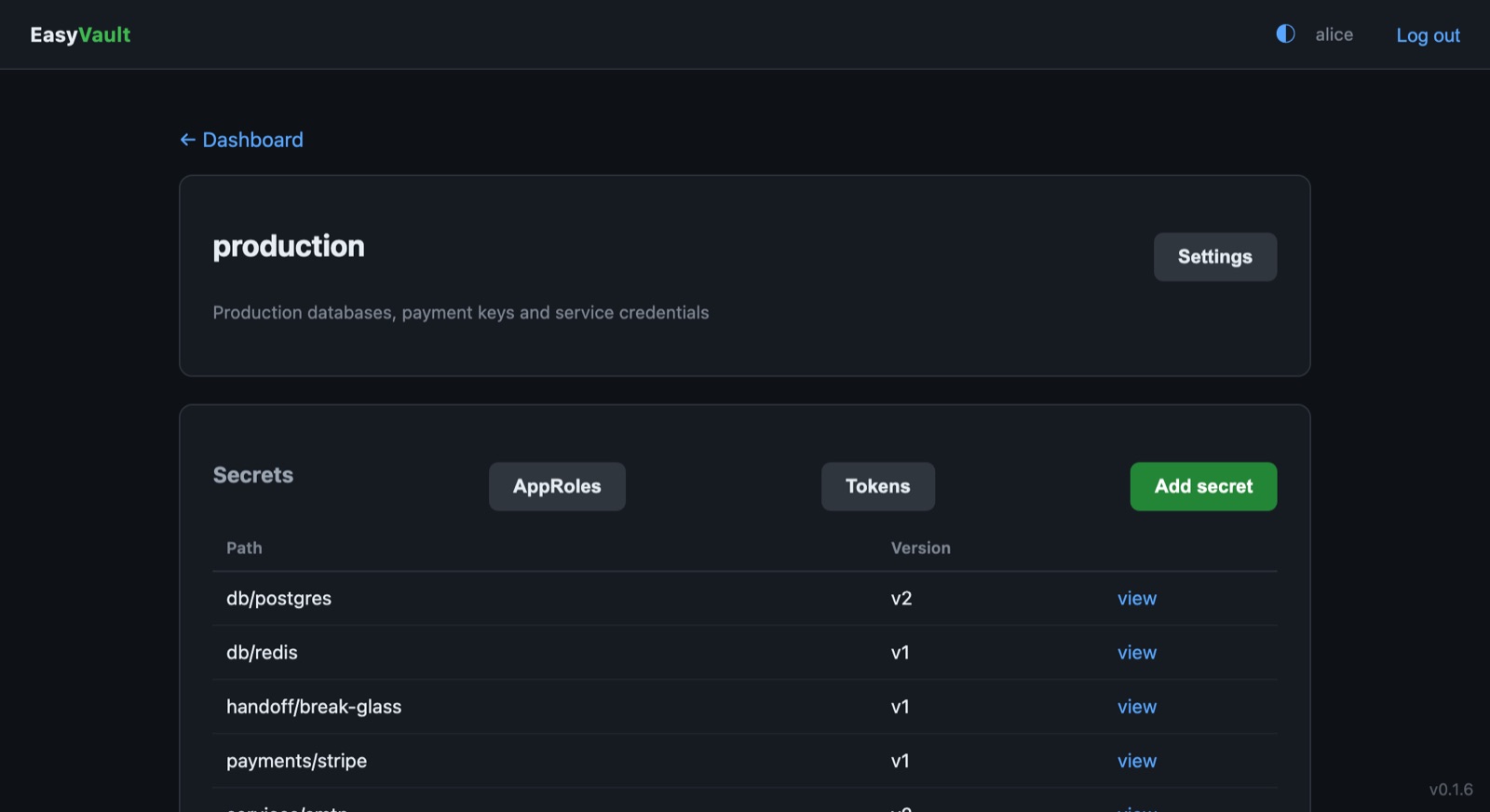
Open a vault and add a secret: a path (for example db/postgres) and a JSON
object of key/value pairs. Secrets are versioned — every write creates a new
version and history is preserved.
Delete secret in the GUI removes the whole secret, all versions, after a confirmation; writing the same path again starts a fresh version.
Burn after read
A secret can cap how many times it may be fetched over the API. Set Max
reads when writing it, or pass options.max_reads to the API. After the Nth
read the version is destroyed and its ciphertext wiped, and the next fetch
returns 404. Read responses include metadata.reads_remaining. Viewing the
secret in the GUI does not use up a read. Useful for one-time credentials.
Reading and writing over the API
Clients send their token in the X-Vault-Token header:
{
  "request_id": "8432a13f-b3b4-e4c1-4cfa-298a72b0c39f",
  "data": {
    "data": { "username": "prod_db_user", "password": "S3cur3Pass!" },
    "metadata": { "version": 2, "destroyed": false }
  }
}
Write a new version, or list a path:
# Write
curl -X POST -H "X-Vault-Token: ev.x5H9..." \
     -H 'Content-Type: application/json' \
     http://<host>:8200/v1/secret/data/db/postgres \
     -d '{"data":{"username":"prod_db_user","password":"S3cur3Pass!"}}'

# Write a single-use secret
curl -X POST -H "X-Vault-Token: ev.x5H9..." \
     -H 'Content-Type: application/json' \
     http://<host>:8200/v1/secret/data/handoff/otp \
     -d '{"data":{"code":"493021"},"options":{"max_reads":1}}'

# List keys under a prefix — note the trailing slash
curl -H "X-Vault-Token: ev.x5H9..." \
     "http://<host>:8200/v1/secret/metadata/db/?list=true"
A token limited to db/* can list metadata/db/ but not metadata/db, which
doesn't fall under its db/ prefix; a * token can list either, and the root.
DELETE /v1/secret/data/<path> soft-deletes the latest version, as in Vault.
API tokens
Editors and admins mint per-vault tokens in the GUI (Vault → Tokens).
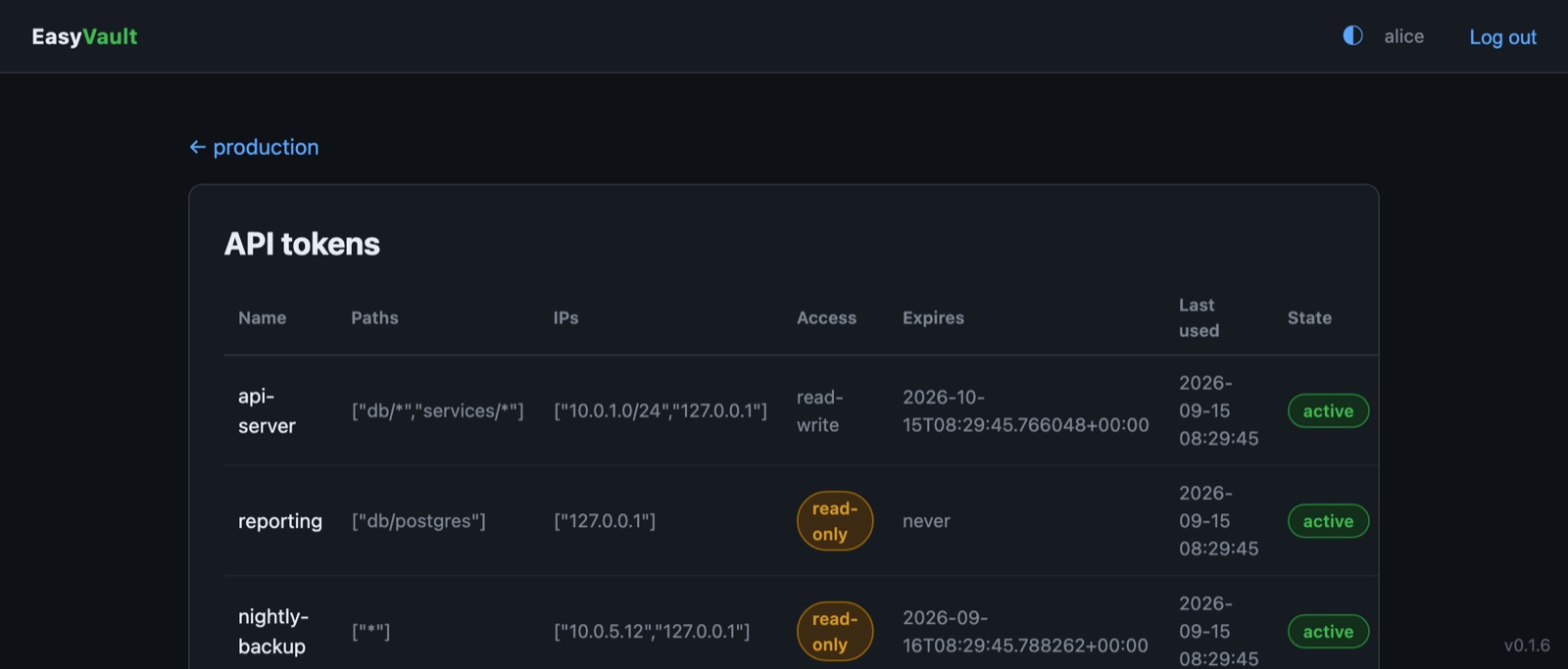
Each token is scoped by:
- Allowed paths — one per line:
*, prefix globs likedb/*, or exact paths. - Allowed IPs / CIDRs — one per line: where the token may be used from. Leave it blank to allow any address.
- TTL — optional expiry; tokens with a TTL are renewable.
- Access — read-write, or read-only: a read-only token can fetch
secrets but gets
403on any write or delete.
The raw token (prefix ev.) is shown once. Clients can manage their own token:
curl -H "X-Vault-Token: ev.x5H9..." http://<host>:8200/v1/auth/token/lookup-self
curl -X POST -H "X-Vault-Token: ev.x5H9..." http://<host>:8200/v1/auth/token/renew-self
curl -X POST -H "X-Vault-Token: ev.x5H9..." http://<host>:8200/v1/auth/token/revoke-self
Revoking a token in the GUI takes effect immediately.
AppRole (CI / automation)
For unattended workloads, define an AppRole on a vault (Vault → AppRoles) with the same path, IP, TTL and access limits as a token.
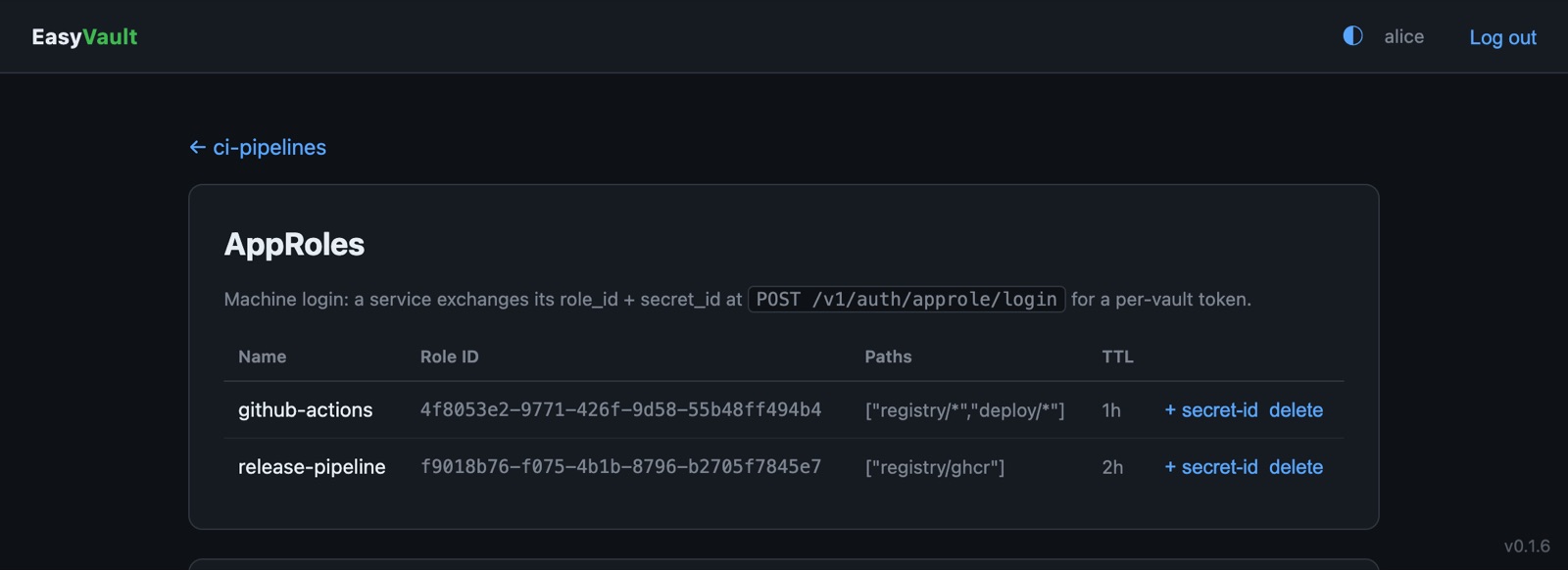
Issue a
secret_id for it — shown once, together with a ready-to-run login command. A
service then exchanges its role_id + secret_id for a scoped token:
curl -X POST http://<host>:8200/v1/auth/approle/login \
  -H 'Content-Type: application/json' \
  -d '{"role_id":"4ab67f03-...","secret_id":"IAIE2fgV..."}'
{ "auth": { "client_token": "ev.LFRxvc...", "policies": ["db/*"], "lease_duration": 3600, "renewable": true } }
policies lists the role's allowed paths. Only a hash of each secret_id is
stored, and deleting the role stops new logins.