
Secrets manager · part of EasySYS

Secrets your servers fetch, never store.

EasyVault keeps passwords, API keys and certificates behind envelope encryption and serves them over a HashiCorp Vault–compatible API. Services hold only a scoped, short-lived token and read what they need at runtime, so there is nothing on their disks to steal.

Rust core Single binary Vault KV v2 API Envelope encryption
deploy@api-01 — bash
# the service reads its database password at startup $ curl -s -H "X-Vault-Token: $VAULT_TOKEN" \ http://vault:8200/v1/secret/data/db/postgres \ | jq .data.data { "host": "pg-prod.internal", "username": "app_rw", "password": "••••••••" } # decrypted for this request only, then zeroized → audit: READ db/postgres · 200 · HMAC-signed
API
KV v2 · :8200
Unseal
3 of 5 shares
At rest
AES-256-GCM
Packaged for
Debian / Ubuntu RHEL / Fedora openSUSE / SLES Windows service x86_64 · arm64
Security model

No single stored value can decrypt anything.

Every secret is sealed under its vault's key, every vault key is wrapped per member, and the key that ties it together lives only in RAM. Steal the database and you have ciphertext.

Key hierarchy envelope encryption

Each layer unlocks only the one below it, and only in memory.

User passwordnever stored
Argon2id → AES-256-GCM
User private keyX25519 · in memory while signed in
ECDH shared secret
Vault keyone per vault
AES-256-GCM
Secret valueversioned · never logged
Master key: RAM only, Shamir-sealed
Escrows each vault key so tokens can be minted. Split into shares at init (5 shares, 3 to unseal by default), mlock-ed out of swap, and gone on every restart.

A blind master

The master account creates vaults and users and escrows their keys, but can't read a single secret. Administration and access stay separate.

Scoped credentials

Every token and AppRole is limited by path, client IP or CIDR and TTL, and can be issued read-only. The raw token is shown once; only its hash is kept.

Rotation on revoke

Removing a member generates a new vault key, re-encrypts every secret and re-wraps it for everyone who remains, in one transaction.

Tamper-evident audit

Every read, write, denial and admin action is logged with an HMAC over the row. The audit viewer flags any entry that was edited. Values are never logged.

Burn after read

Cap a secret at N reads. After the last one its ciphertext is wiped and the next request gets a 404 — made for one-time credentials.

Emergency seal

One button drops the master key from memory. Every token stops working and every session is locked out until the shares are presented again.

A subset of Vault, and we say which subset.
No policy language and no PKI engine yet. The differences from HashiCorp Vault are listed next to the API they affect.
Read the differences
Access

People in the browser. Machines over the API.

Teams manage vaults, members and secrets in the Web GUI. Services and pipelines get a credential scoped to exactly what they read, and existing Vault clients keep working.
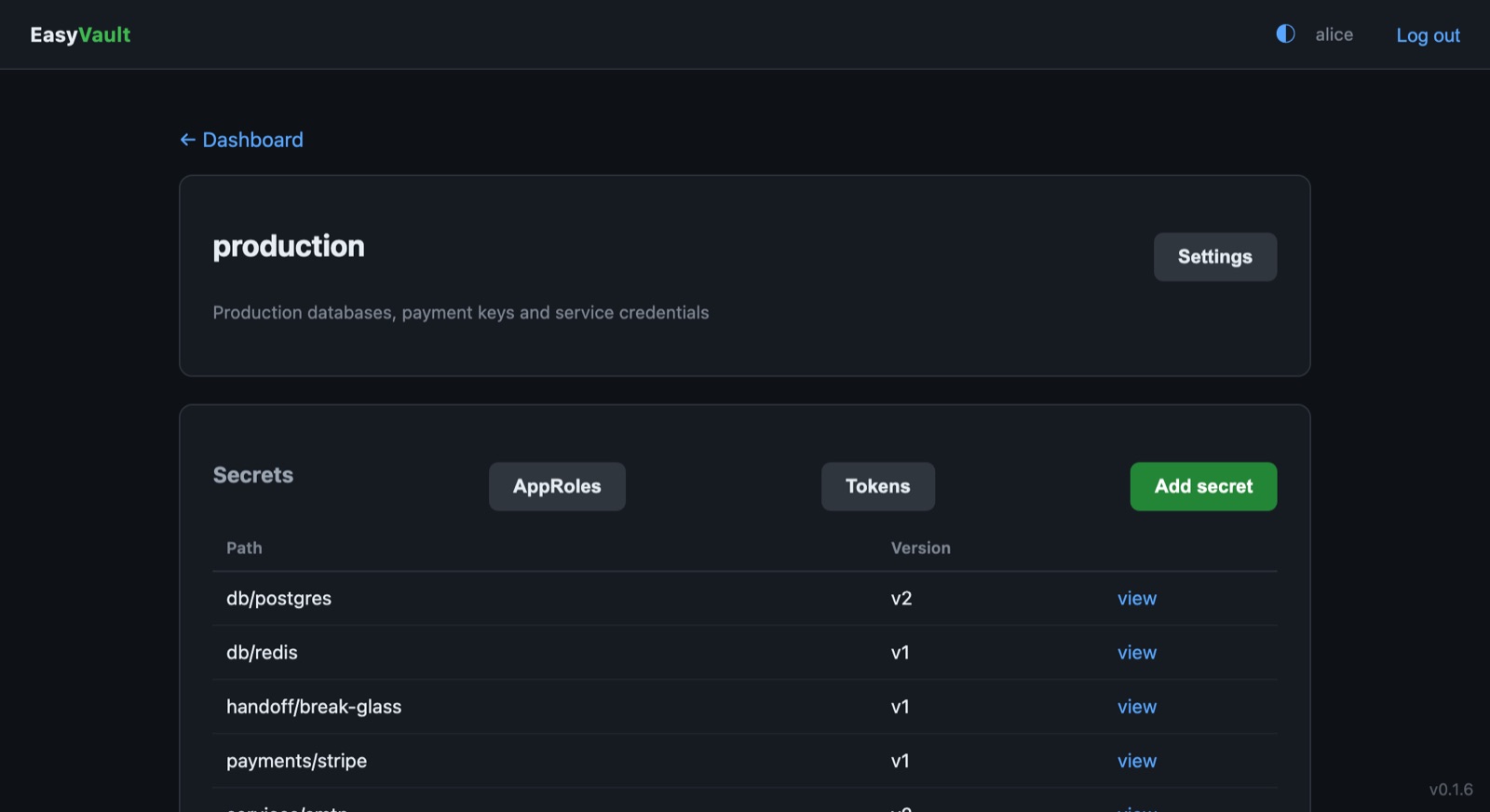
A vault's secret list in the EasyVault web GUI
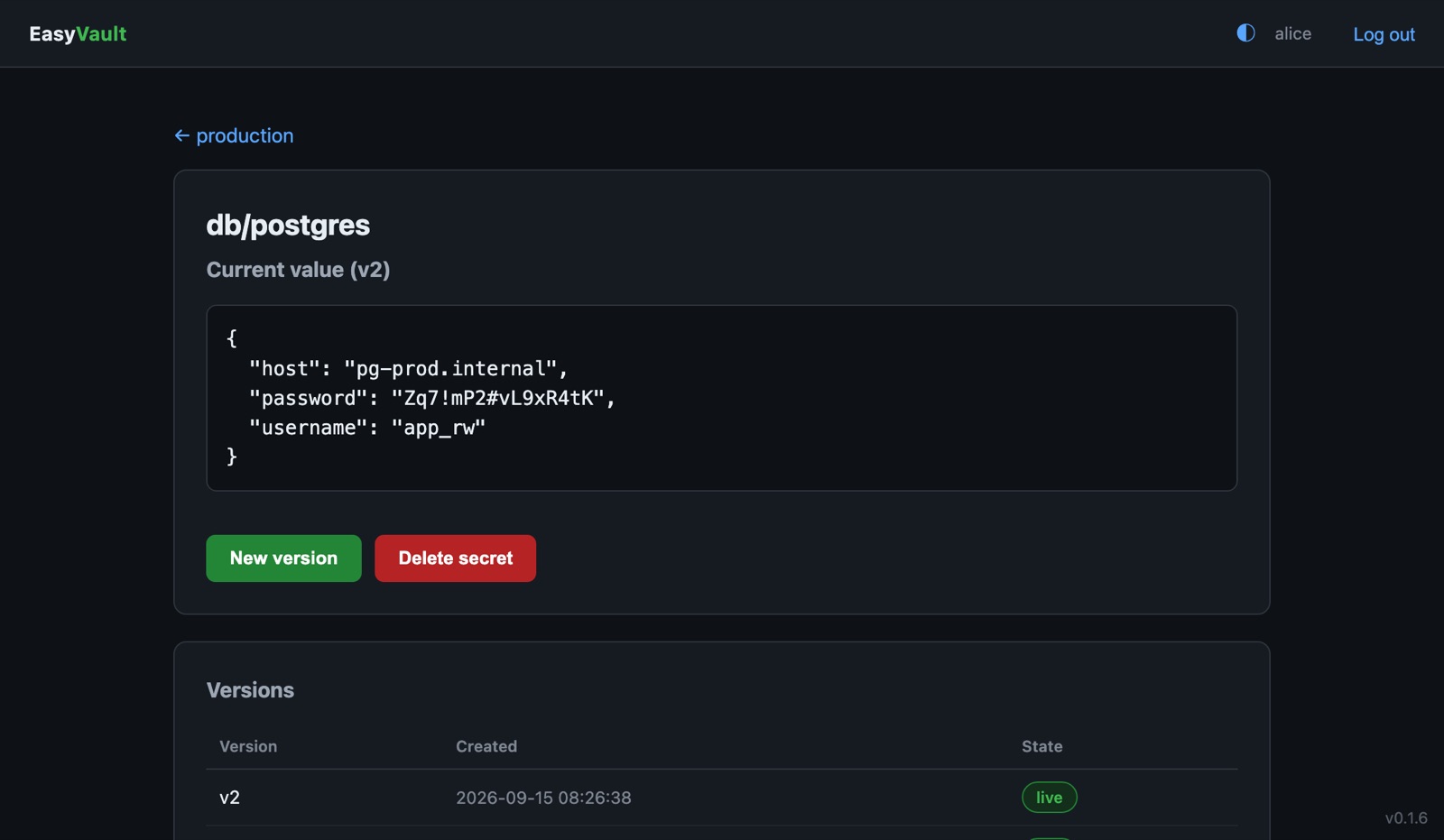
A secret's current value and its version history

Vault-compatible KV v2

Read, write, list and delete under /v1/secret with an X-Vault-Token, in Vault's own response envelope.

Every write is a version

Nothing is overwritten. The GUI shows the current value and the history behind it, and a new version is one click away.

Per-vault tokens

Allowed paths, allowed IPs, a TTL and read-only or read-write access. Renewable tokens can look up, renew and revoke themselves.

AppRole for CI

Pipelines trade a role_id and secret_id for a short-lived token. No long-lived credential in the build config.

Roles per vault

Admins manage members and rotate keys, editors write secrets and issue credentials, viewers read. Access is granted vault by vault.

Bounded audit log

Set a retention window and old events are pruned on a schedule, or immediately with Prune now. Integrity is checked on every row shown.

Architecture

One binary between your services and their secrets

Services and pipelines authenticate with a token or an AppRole. EasyVault checks what that credential may reach, unwraps the vault key for the one request, and returns the value. Only ciphertext ever reaches the disk.

CLIENTS EASYVAULT KEYS & STORAGE Apps & servicesX-Vault-Token CI & automationAppRole login Administratorsany browser EasyVaultone binary · API and GUI on :8200 Authenticatetoken hash Authorizepaths · IPs · access Unwrapvault key Web GUIsessions · roles KV v2 engine · auditversions · burn after read · HMAC rows Master keyRAM only · Shamir shares SQLiteciphertext only HTTP AppRole HTTP escrow decrypt rows
EasySYS service Your existing infrastructure The master key never touches the disk; after a restart it is rebuilt from the unseal shares.
Deploy

Running in minutes. Upgraded like everything else.

EasyVault installs from the signed EasySYS package repository as a hardened service, and upgrades through the package manager you already use. The installation guide has the details.

1
Add the signed repository
Signed apt, yum and zypper channels for x86_64 and arm64, or the Windows installer.
2
Install the service
It starts on boot, listens on port 8200 and comes up sealed.
3
Initialize, unseal, sign in
Save the unseal shares, unseal with the threshold, and create the master account.
# 1 — trust the repository $ curl -fsSL https://repo.easysys.io/easyvault/stable/debian/key.gpg \ | sudo gpg --dearmor -o /usr/share/keyrings/easysys.gpg $ echo "deb [signed-by=/usr/share/keyrings/easysys.gpg] \ https://repo.easysys.io/easyvault/stable/debian ./" \ | sudo tee /etc/apt/sources.list.d/easyvault.list # 2 — install; the service starts sealed $ sudo apt update && sudo apt install easyvault # 3 — initialize and unseal → http://<host>:8200/
# 1 — trust the repository $ sudo tee /etc/yum.repos.d/easyvault.repo >/dev/null <<'EOF' [easyvault] name=EasyVault baseurl=https://repo.easysys.io/easyvault/stable/redhat enabled=1 gpgcheck=1 gpgkey=https://repo.easysys.io/easyvault/stable/redhat/key.gpg EOF # 2 — install; the service starts sealed $ sudo dnf install easyvault # 3 — initialize and unseal → http://<host>:8200/
# 1 — trust the repository $ sudo zypper addrepo -fg \ https://repo.easysys.io/easyvault/stable/redhat easyvault # 2 — install; the service starts sealed $ sudo zypper install easyvault # 3 — initialize and unseal → http://<host>:8200/
# 1 — download the installer # repo.easysys.io/easyvault/stable/windows # 2 — run it; the EasyVault service starts # automatically and restarts on failure > easyvault-<version>-x86_64.exe # data, certs and config live in # %ProgramData%\EasyVault # 3 — initialize and unseal → http://localhost:8200/

Start with one vault.

Move one service's credentials into EasyVault and give it a read-only token. MIT licensed and developed in the open.