Operations
Configuration
EasyVault reads config.toml — /etc/easyvault/config.toml for the Linux
service, %ProgramData%\EasyVault\config.toml on Windows. Set
EASYVAULT_CONFIG to point somewhere else. Restart the service after editing
it (and unseal again).
[server]
address = "0.0.0.0"
port = 8200                        # match HashiCorp Vault default
tls = false                        # set true to serve HTTPS
tls_cert = ""                      # empty (with tls = true) = self-signed
tls_key = ""

[storage]
type = "sqlite"                    # SQLite is the only backend
path = "easyvault.db"              # relative paths live in the data directory

[security]
session_ttl_hours = 8              # GUI session lifetime
max_login_attempts = 5             # failed sign-ins before a lockout
lockout_minutes = 15
trusted_proxies = ["127.0.0.1"]    # honoured for X-Forwarded-For

[audit]
enabled = true
log_raw_values = false             # NEVER set to true in production
easylog_url = ""

[init]
default_key_shares = 5
default_key_threshold = 3
The [audit] block is reserved
It is parsed so existing config files keep working, but not enforced yet: the audit log is always on, secret values are never logged, and the EasyLog sink is not available yet.
TLS
Set tls = true to serve HTTPS. With tls_cert and tls_key empty, a
self-signed certificate for localhost / 127.0.0.1 is generated on first run
under the data directory and reused afterwards. For production, point both at
your own PEM files — or terminate TLS at a reverse proxy.
Behind a reverse proxy
EasyVault takes the client address from X-Forwarded-For only when the
request comes from an address listed in trusted_proxies; otherwise it uses the
connecting peer. List your proxy (Traefik, Nginx, …) there so that token IP
restrictions, sign-in lockouts and the audit log see real client addresses.
Users
The master creates accounts on the Users page and can disable or enable them. A disabled user can't sign in and their open sessions are dropped immediately; master accounts can't be disabled. Every user can change their own password from their account page — see Passwords for why the master can't reset one.
After max_login_attempts failed sign-ins, further attempts are locked out for
lockout_minutes.
Audit log
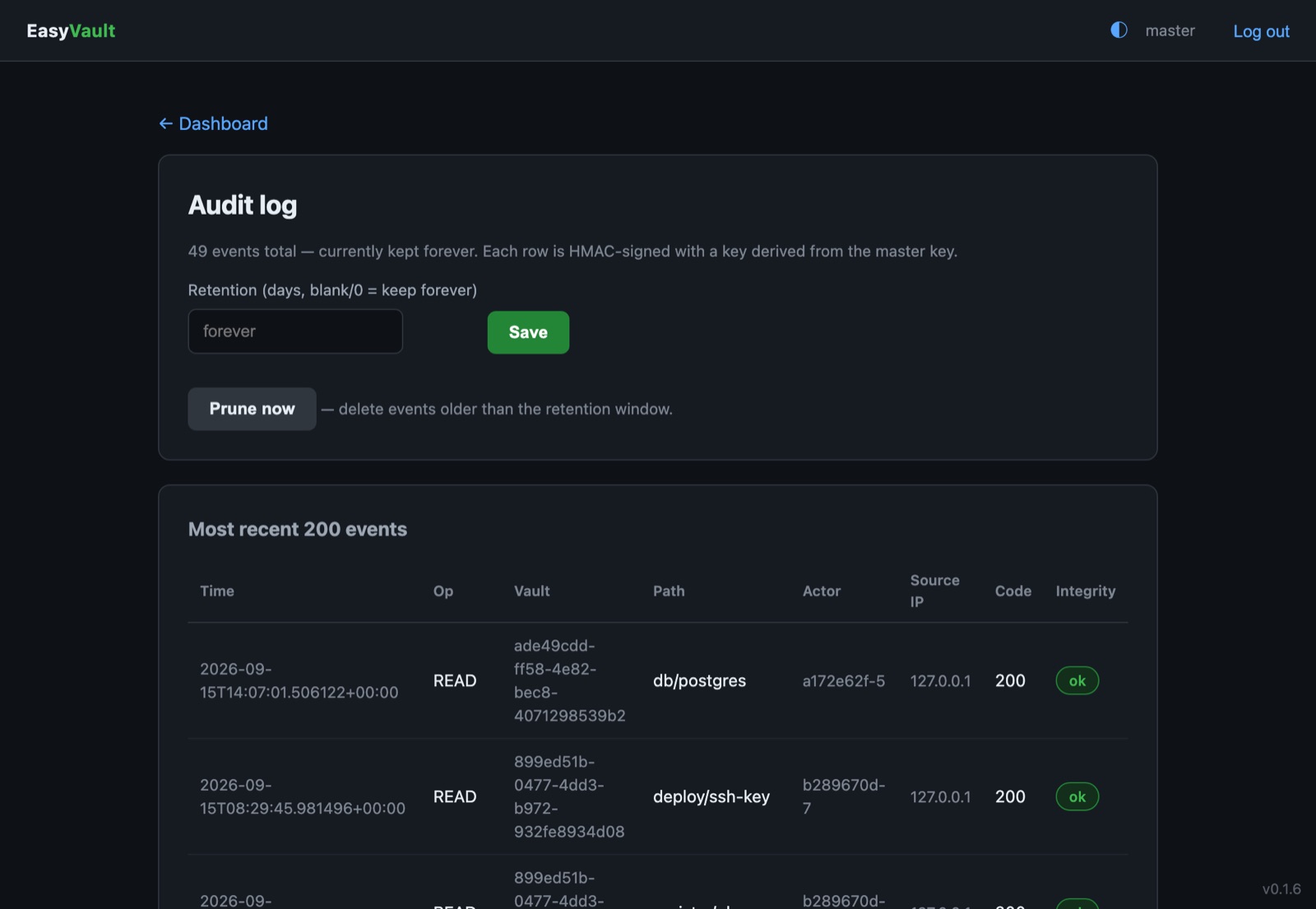
The master's Audit page lists every secret read and write (including denials) and every administrative action, with its path, actor, client address and result. Each row carries an HMAC, and the Integrity column flags any row that was altered in the database.
To keep the log bounded, set a retention window in days on the same page (0 or blank keeps everything). Older entries are pruned at startup and every six hours, or straight away with Prune now.
Key rotation
A vault admin can rotate a vault's key from its Settings page; revoking a member rotates it automatically. Rotation re-encrypts every secret version and re-wraps the key for every member and live token in one transaction, so clients keep working without being reissued credentials.
Emergency seal
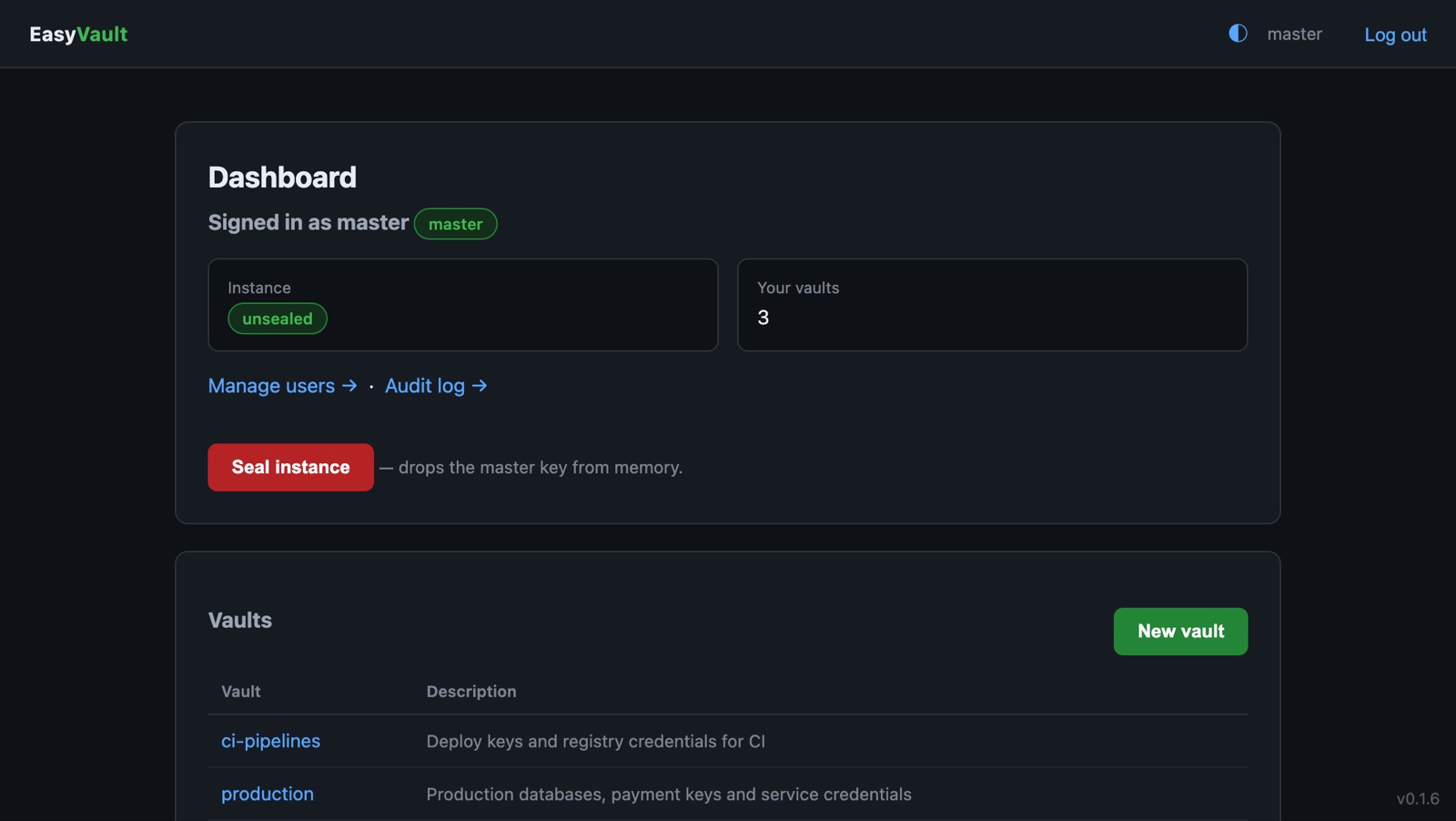
Seal instance on the master's dashboard drops the master key from memory at once. Every API token stops working and all users are locked out until the instance is unsealed with the shares again.
Service and logs
The EasyVault service is managed from services.msc like any other; it
restarts itself on failure. Logs are written to
%ProgramData%\EasyVault\logs.